Pinegrow Online, powerful web editor in your Browser.
Easily build and share web projects with Bootstrap, Tailwind CSS, plain HTML and GreenSock powered interactions.
Sign Up NowView Featured Projects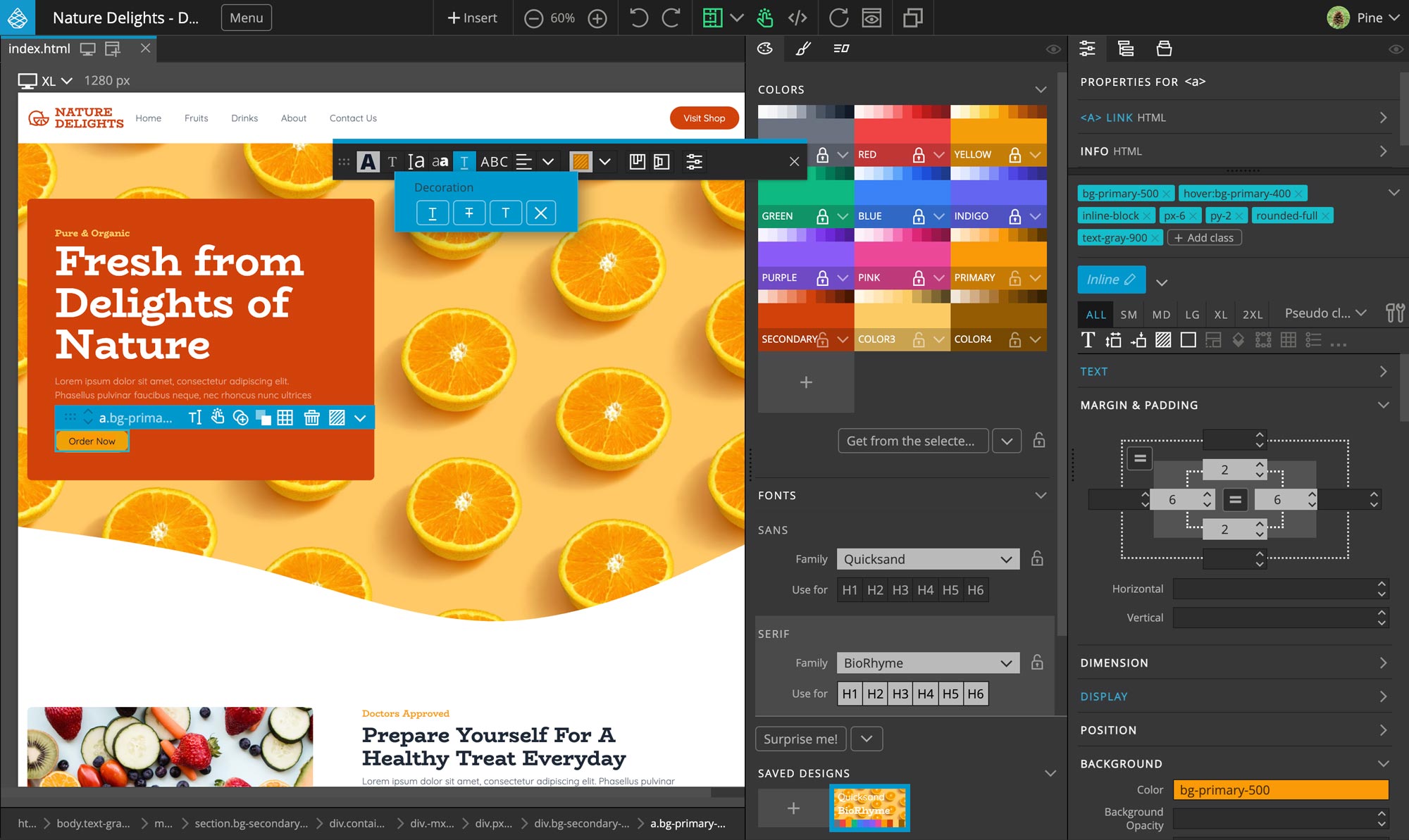
Have Fun, Build Online
Pinegrow Online comes with most of the features of our desktop application Pinegrow Web Editor.
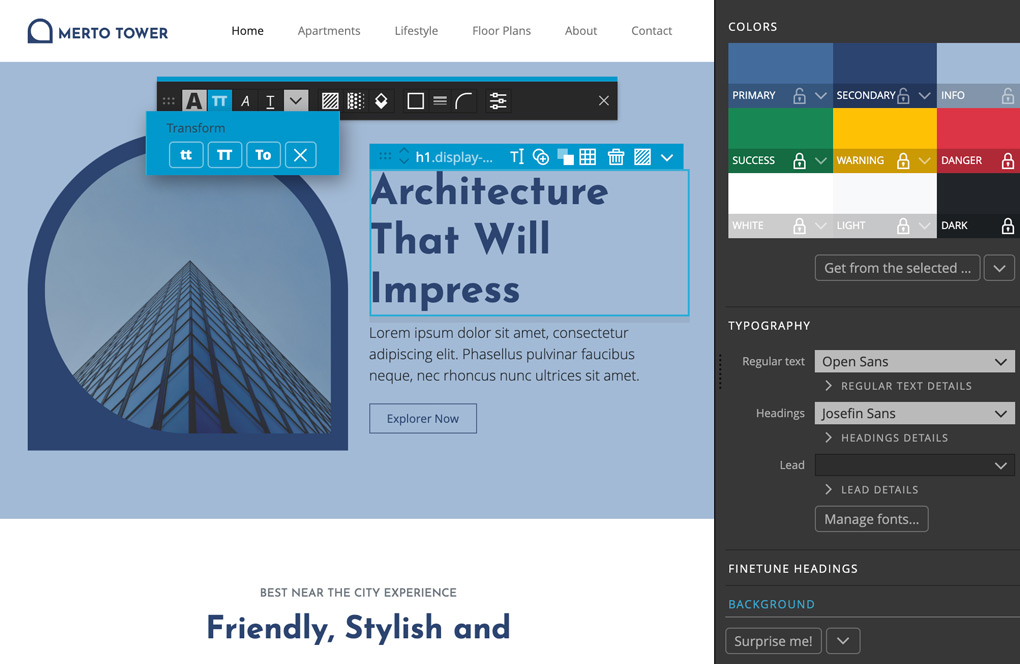
Bootstrap, Tailwind CSS or Plain HTML
Use visual controls, components, easy theming and library of blocks and templates to build projects with your favorite framework.
Try BootstrapTry Tailwind CSSTry Plain HTML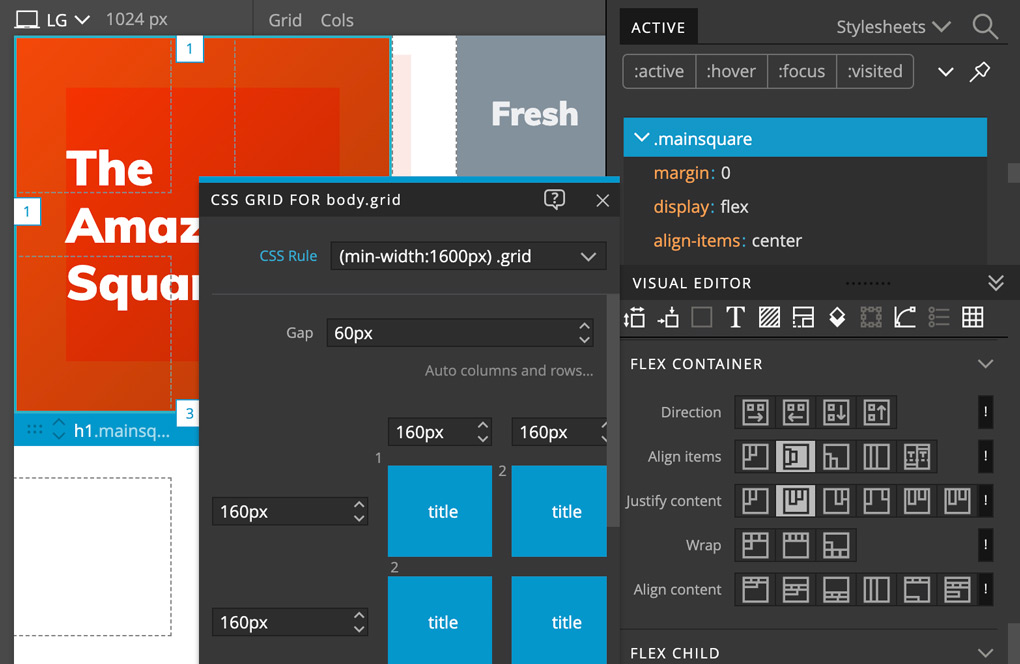
Powerful CSS Editor
Inspect active CSS rules, use rich visual controls, build responsive pages and design layouts with CSS Grid editor.
Try Now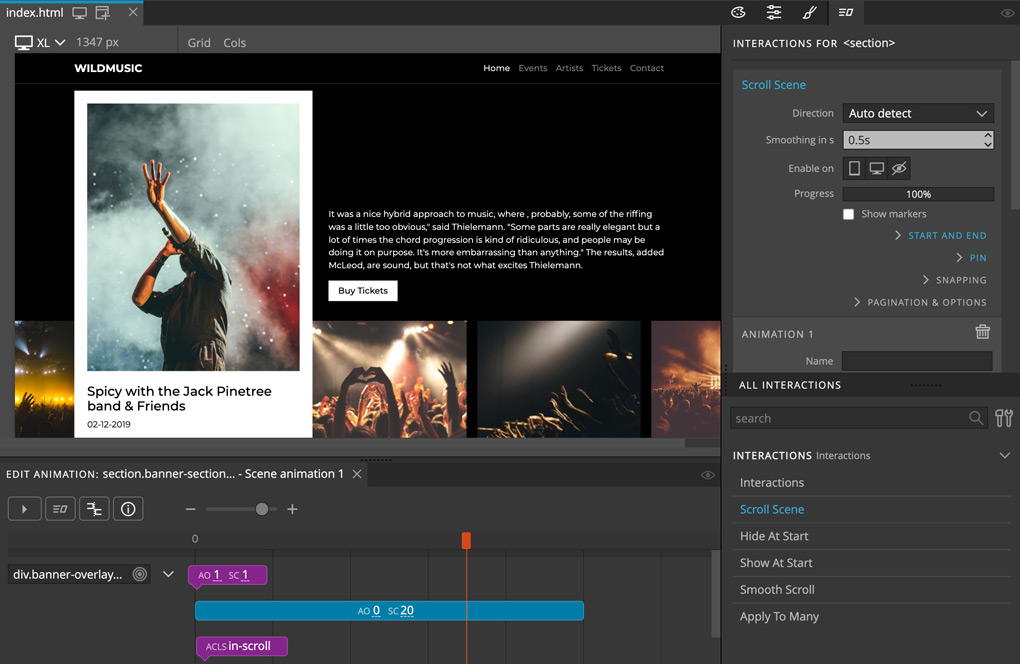
Interactions Powered by GreenSock
Create powerful interactions and scroll scenes with custom animations designed with the timeline editor, powered by GreenSock GSAP - commercial license included.
Try Now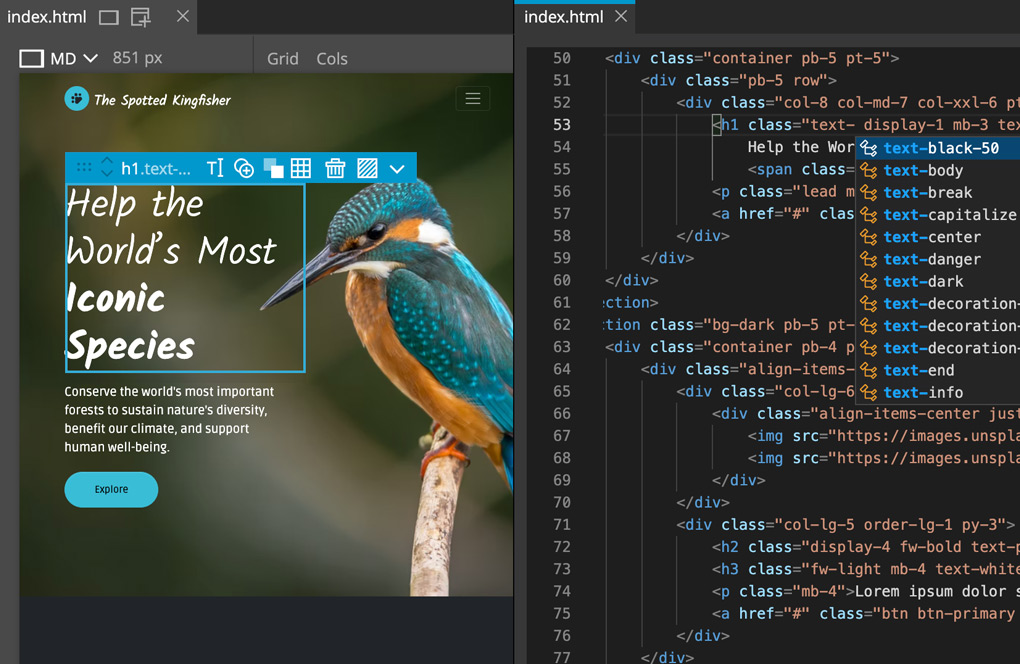
Code + Visual Tools
Use visual tools and code editing, side by side. Pinegrow uses Monaco, the same editor that powers Visual Studio Code.
Try Now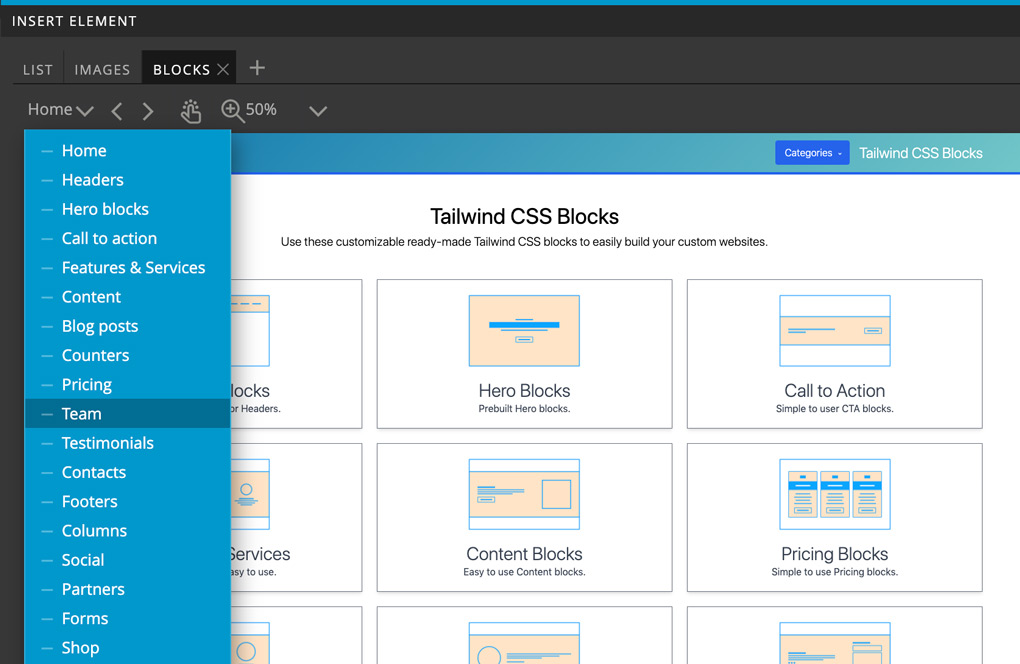
Ready-made Blocks and Templates
Use a growing collection of reusable components and templates for Bootstrap 5 and Tailwind CSS to quickly get your project off the ground.
Try Now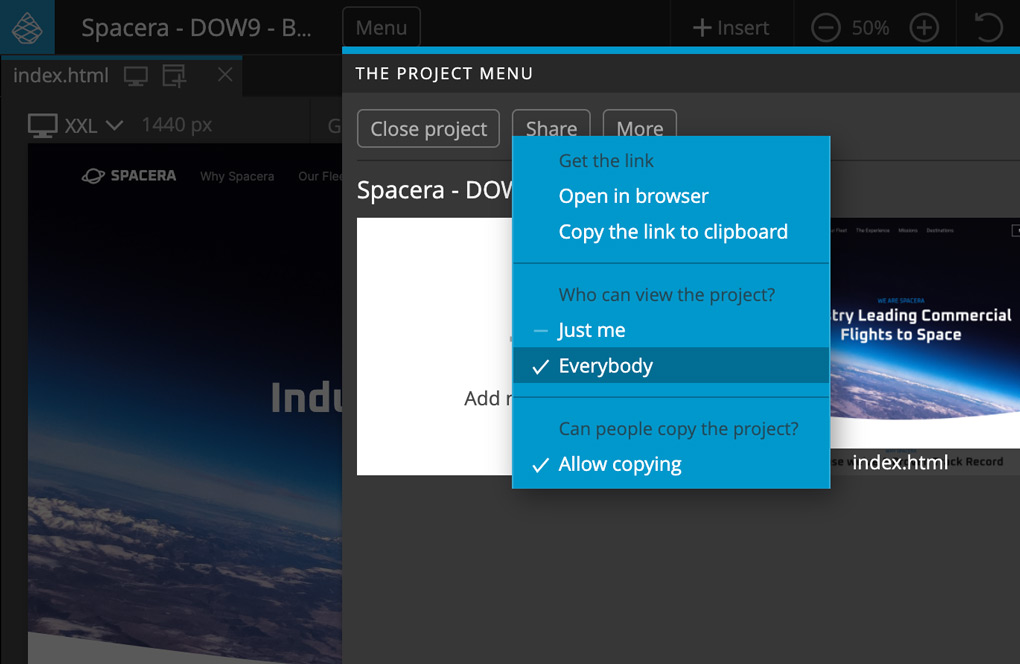
Keep it Private or Share with the World
Keep projects private, share them with others or embed them as rich content blocks on your websites.
Try NowFeatured Projects
Create a new project or jump straight into editing one of our featured projects.
If you use Pinegrow Online as a guest (without an account), your projects will be saved in your browser storage.
Loading featured projects...
Choose your Pinegrow Online Builder plan
Create your account first, then choose the number of Builders and any additional active sites for your organization. Builder seats and site capacity are independent, and client collaborators are free. You can review the total before opening Paddle checkout.
Add as many Builder seats as your organization needs. Additional active sites are $3 each per month.
Save $60 per Builder and $8 per additional active site compared with 12 monthly payments. Additional active sites are $28 each per year. Includes a 30-day money-back guarantee. See refund policy.
Already have an account or a Paddle Classic subscription? Sign in to billing. Existing Classic subscriptions stay on their current management path.
Our order process is conducted by our online reseller Paddle.com. Paddle.com is the Merchant of Record for all our orders. Paddle provides all customer service inquiries and handles returns.
Want to try Pinegrow Online first? Use the free guest editor; projects are saved in your browser storage.
Frequently Asked Questions
Can I get a free account?
You can create an account to begin the purchase flow, but cloud project access, Builder seats, and active-site capacity activate only after Pinegrow verifies your payment. Builder seats and site capacity are selected independently. You can still use Pinegrow Online for free in the guest editor, where projects stay in your browser storage.
Where are my projects stored when using Pinegrow Online as a guest?
Your projects are stored in the browser local storage. That means you can’t open them from another device or preview them in the browser. After getting an account, you will be able to import such projects.
Are there any limitations for guest projects?
Yes. Projects with Interactions can’t be downloaded when you are using the service as a guest.
Is Pinegrow Online included in my desktop Pinegrow Web Editor subscription?
Partially. You can activate Pinegrow Online with your Pinegrow desktop license and edit local projects, stored on your computer (using FileAccess browser API). But, to work with projects stored in the cloud, you need a paid Pinegrow Online account.
What will happen with desktop Pinegrow Web Editor app? Will Online replace it?
No worries :) Desktop Pinegrow remains our core product.
Can I host my websites on Pinegrow Online, with my custom domain?
Not directly on Pinegrow Online. You can deploy your sites to Netlify, straight from the editor.
Which browsers are supported?
Chrome & similar, Firefox and Safari.
How about the WordPress support?
Pinegrow Online is also available as a self-hosted WordPress plugin.
I still have questions!
Join the discussion on our forum or get in touch with us.